History vs Series
Series
- A Series is a collection of images that fulfils the requirements of a Subject.
- A Subject has a pre-defined minimum and maximum number of photos required.
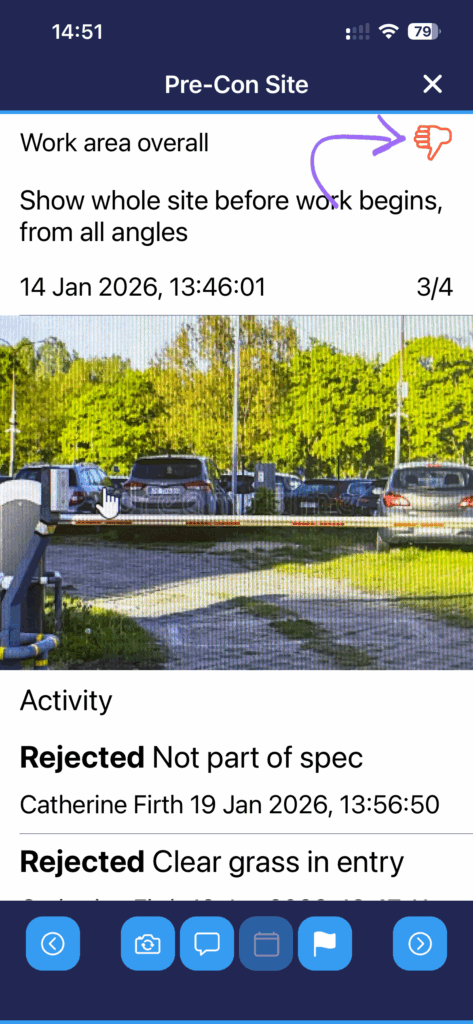
- Each photo in a series can be reviewed individually, and each can be viewed in the app in the Media View. Each photo in the series has its own status icon.
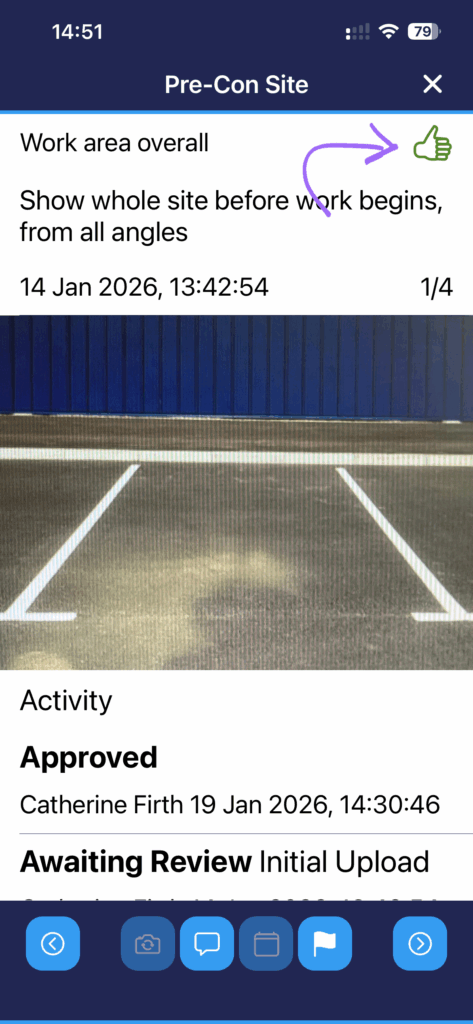
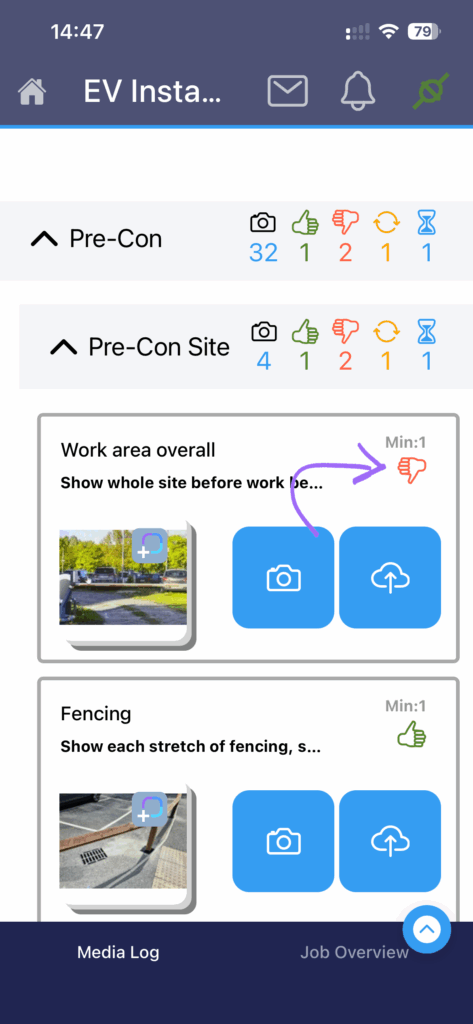
- Open the Media View for a Subject and swipe left and right to select the photo that needs replacing, and click Retake (camera with round arrows).
History
- A History is the collection of original and replacement photos for an individual member of a series.
- The History contains all versions of a photo, including the original and all later versions.
- Especially helpful if the Reviewer has made rejections, retakes or annotations.
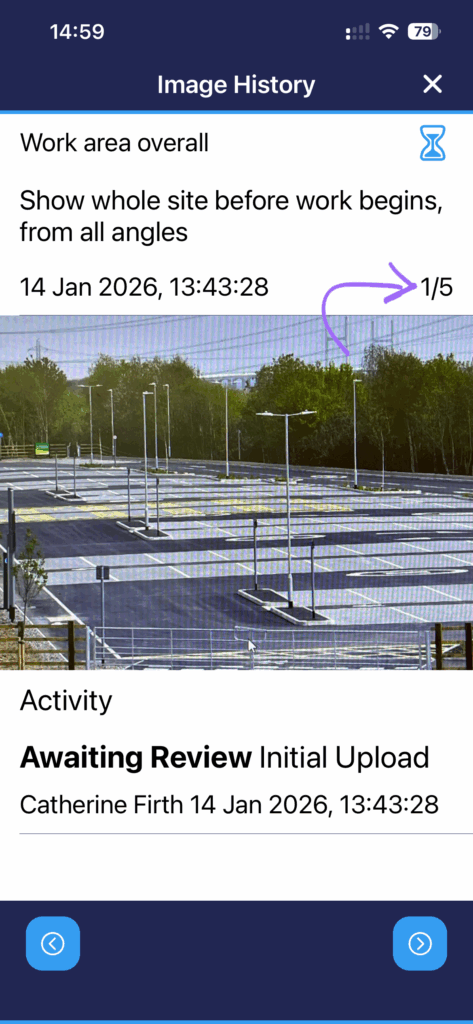
In the app:
- To view the history of a photo, tap on the thumbnail to see the Media Viewer and swipe to the desired member of the series and click the calendar button at the bottom
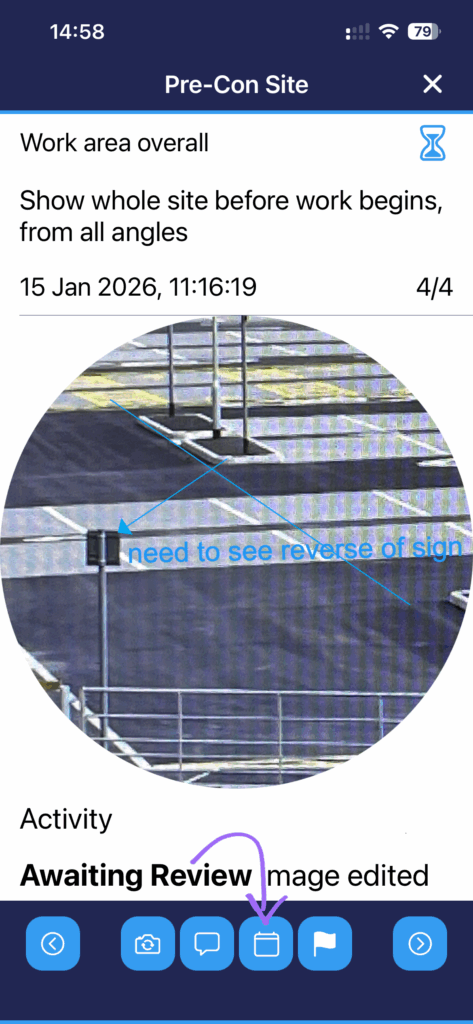
- Swipe left and right or use the left/right arrows to view each member of the history – the number of a photo in the history is shown top right.
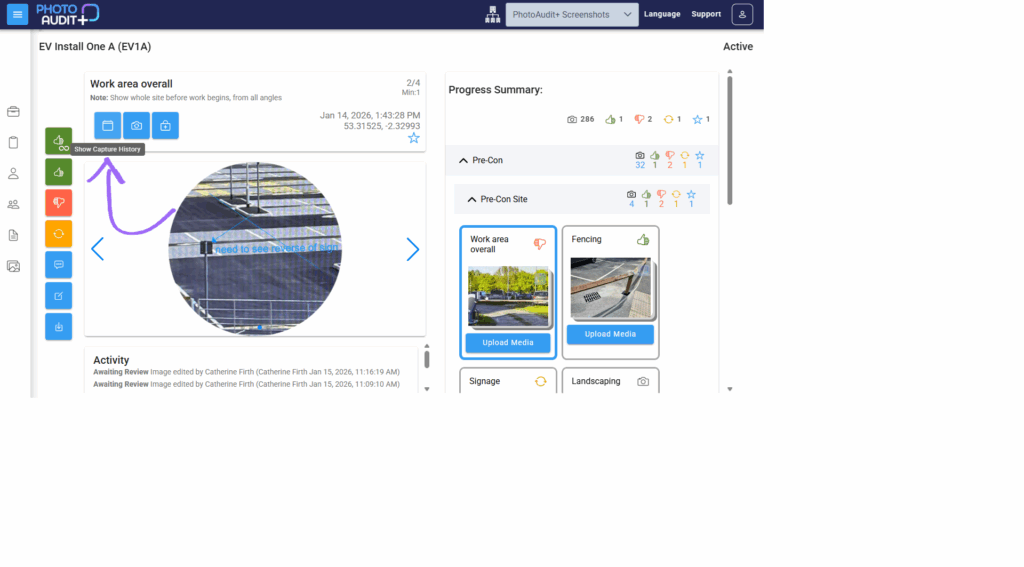
In the Portal:
- To view the history of a photo, tap on the thumbnail to see the photo in the Review Pane and swipe to the desired member of the series and click the calendar button at the top.
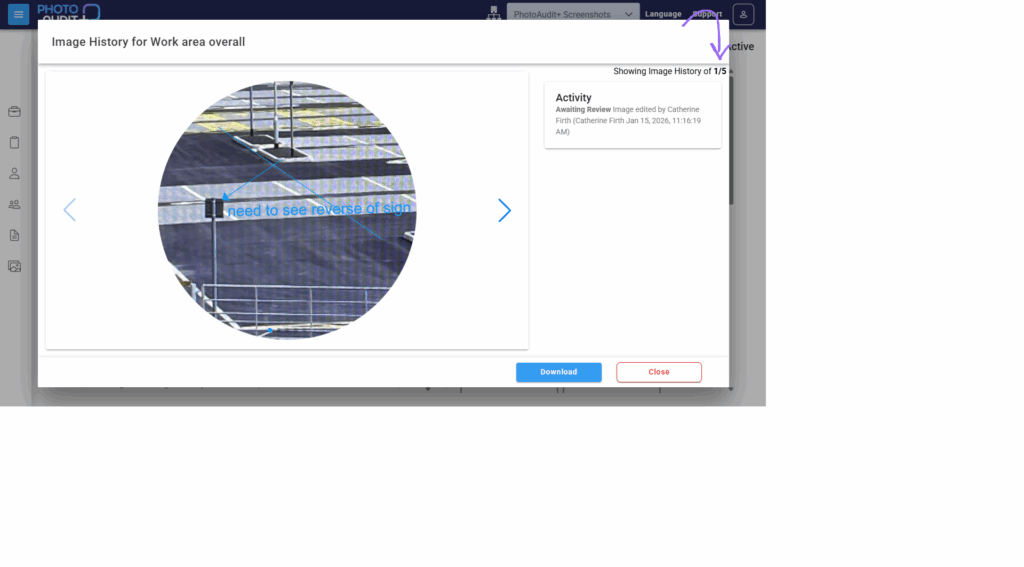
- Swipe left and right or use the left/right arrows to view each member of the history – the number of a photo in the history is shown top right.
- The history contains all versions of a photo, including the original and all later versions.
Need support?
Can't find the answer you're looking for? Don't worry we're here to help!