Download images
There are currently two ways to download images from PhotoAudit+ for Close Out or other purposes.
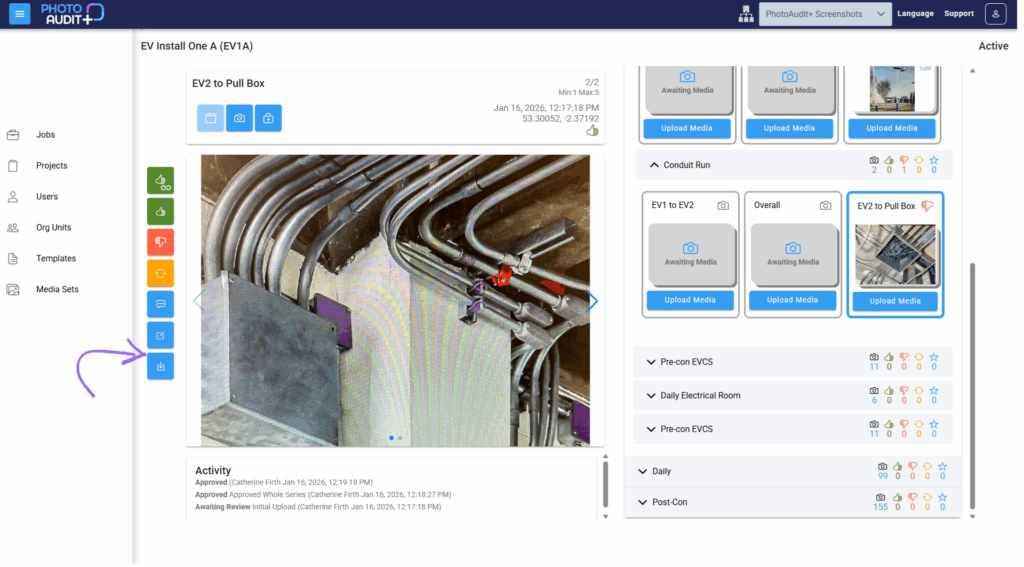
- To download the images from a selected Subject, open the Review pane and click Download in the bottom left.
- A copy of the image(s) will appear in your Downloads folder.
- To download all the images from a Job, in the Job Grid click Download Job Media in the right-hand column for your chosen Job.
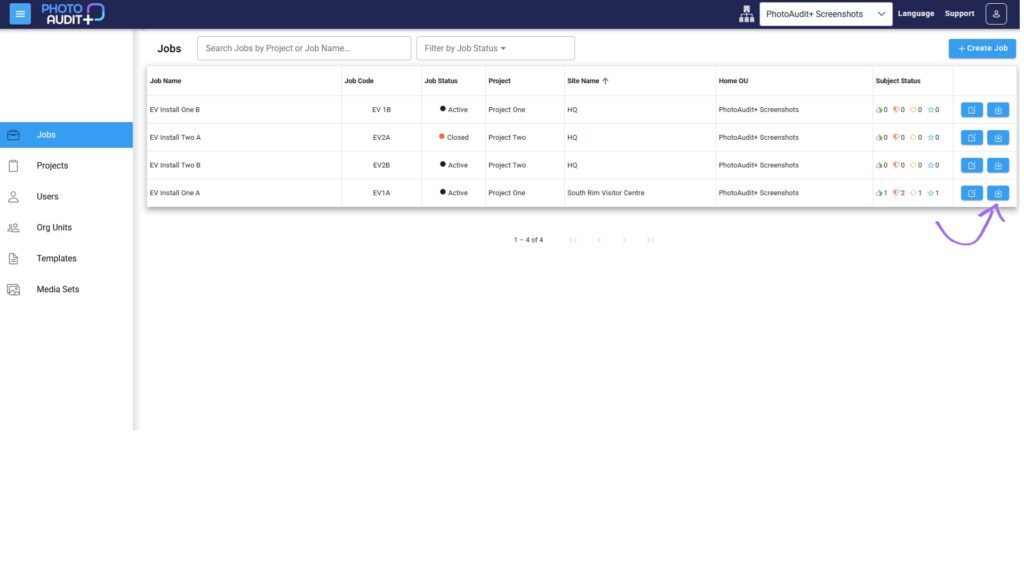
- Select Flat List to receive a Zip file via email, containing all images in a single file. Each is named using the file name parts specified for the Media Set and Subject.
- Select Structured Download to receive a Zip file via email containing all images organised in a file structure that reflects the Checklist.

- You will receive an email when the media is available to download.
Need support?
Can't find the answer you're looking for? Don't worry we're here to help!