
- On the right of the Review Portal, the Checklist panel tracks progress.
- You’ll see status counters and progress bars for each Media Set.
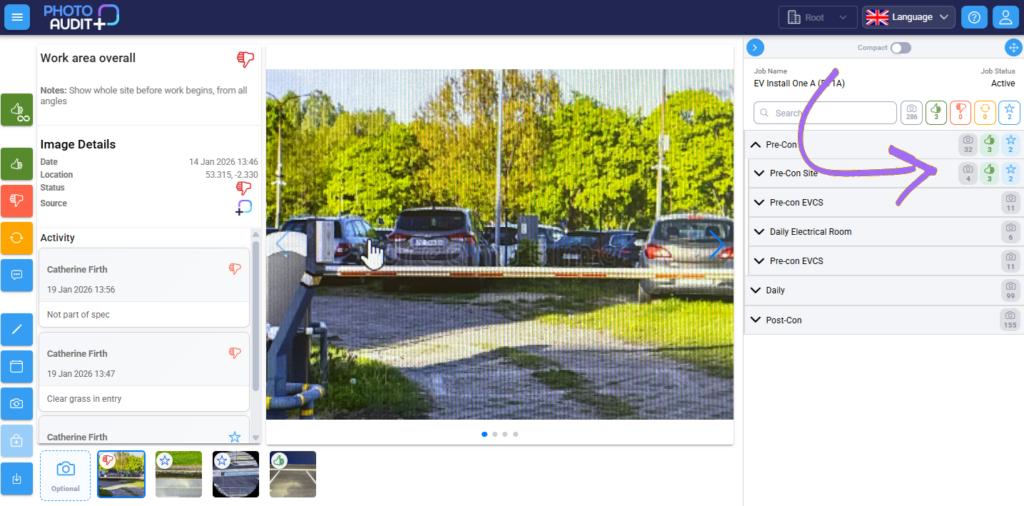
- Camera – awaiting media.
- Thumbs up – accepted.
- Thumbs down – rejected work.
- Arrows – retake image.
- Star – awaiting review.