Accepting, rejecting, or requesting retakes
- Simply click on the Subject thumbnail and select the option that applies to each image:
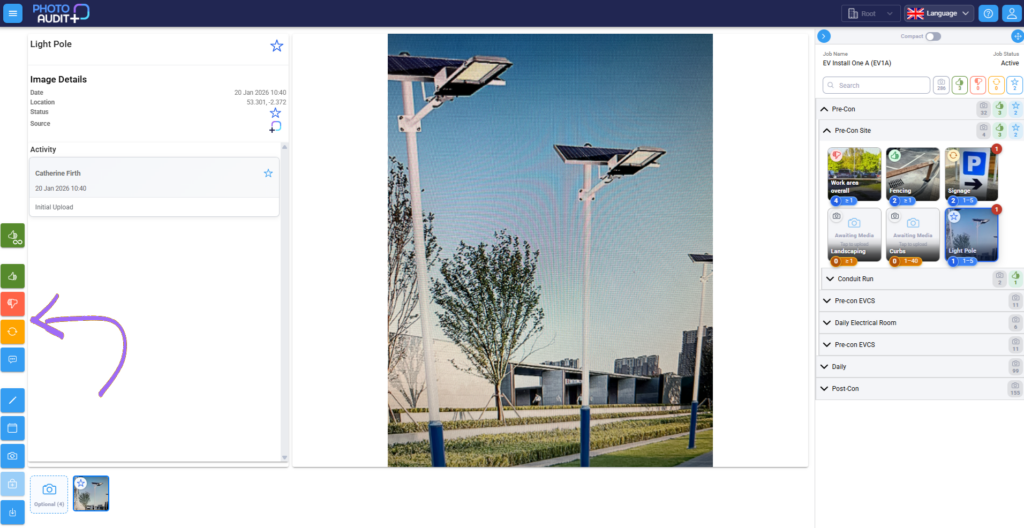
- Select Accept (green thumbs up): photo is good and work is clearly shown.
- Select Approve Whole Series (green thumb with infinity sign) to accept all images provided for this Subject, or to signal that you do not require any more images for this Subject.
- Select Reject Work (red thumbs down); if the photo shows a problem with the work.
- Select Retake Image(orange round arrows): the photo quality or content needs improvement.
- Click the blue speech bubble to add comments
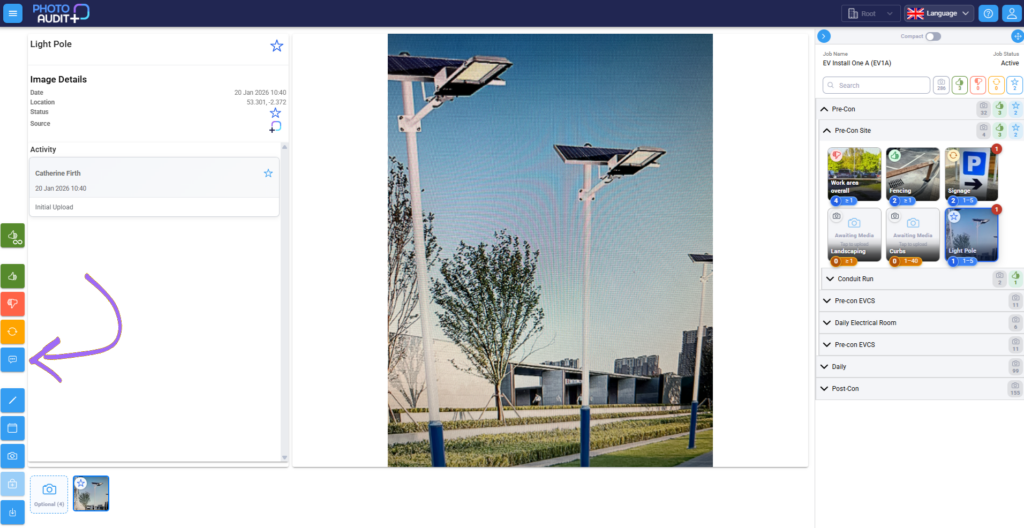
- Once reviewed, the status icons for the image and the Subject update automatically in both the portal and the app.
- You’ll see an activity log under each image to state which on-site workers and reviewers did what and when
Need support?
Can’t find the answer you’re looking for? Don’t worry we’re here to help!
