Skip to content
How to open a job
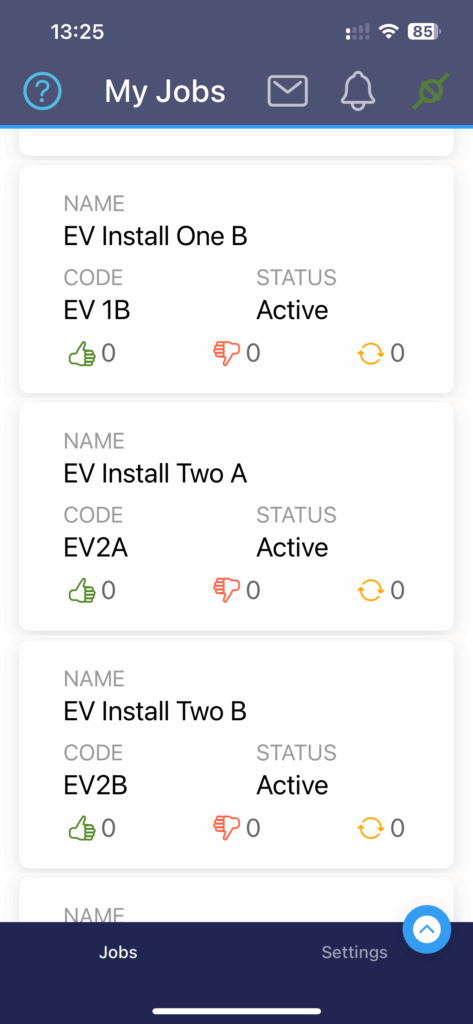
- The app opens on the ‘My Jobs’ screen, which shows all the jobs assigned to you.
- Only Jobs with ‘Active’ status show on the app. Your Jobs manager activates a ‘Created’ Job when the work is due to start.
- Tap on a Job to open its Checklist.
1
