
Understanding the job grid
You can see a range of information in the jobs grid.
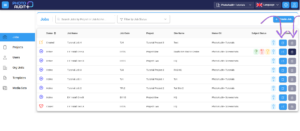
Click anywhere in the row to open the Review Portal for that Job.
Columns:
- Status – current Job Status.
- Job Name & Job Code – unique within its home Organisational Unit.
- Project – name of Project that contains this Job.
- Site name – physical location of job.
- Home OU – the Home Organisational Unit of the Job.
- Subject Status– total number of Subjects with the latest status (accepted/rejected/retake/awaiting review).
- Blue Edit icon to view and manage the Job Details.
- Blue Download icon to download all the images from the Job, either as a Flat List or a Structured Download.
- Structured Download creates a Zip file organised in line with the structure of the Checklist of the Job.
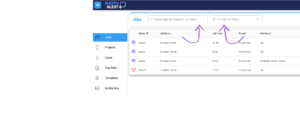
Search
- Input a search term to reduce the number of jobs shown in the table.
- Filter by Job Status, to show only Created/Active/Closed/Archived Jobs.
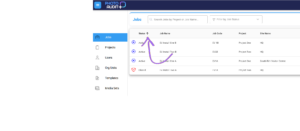
Sort
- Use up or down arrows in the column headers to sort the order of the rows visible in the grid.
1